We’ve released a new plugin, Edel Auth for Supabase, on the official WordPress plugin directory.
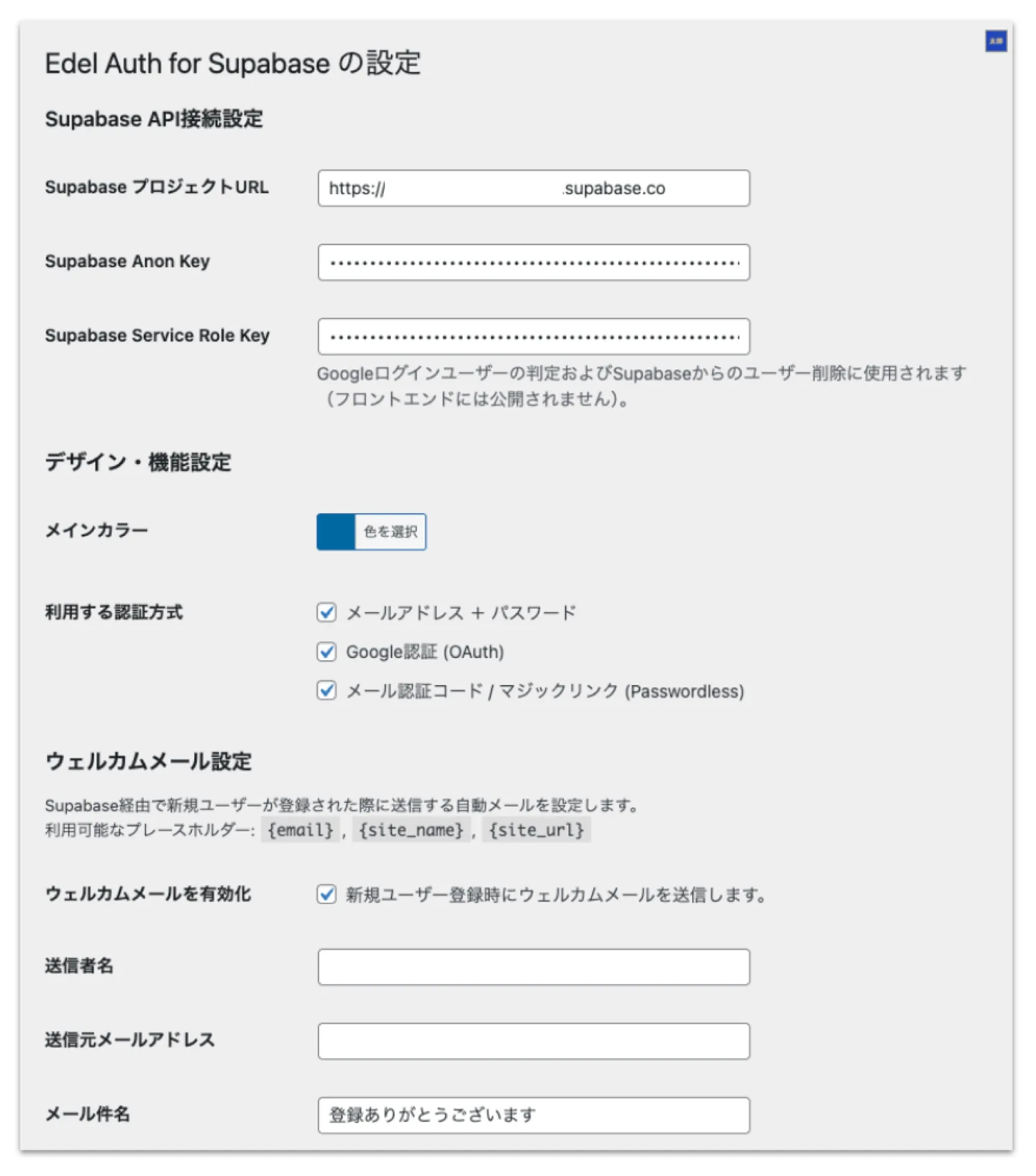
This plugin, as the name suggests, replaces WordPress user authentication with Supabase, a Backend as a Service (BaaS).
 While there have been plugins that integrate external authentication before, many of them suffer from issues such as unnecessary database bloat and unclear security boundaries.
To address these challenges, I designed this plugin from the ground up—and I’m confident it represents a modern, optimal approach to membership management in WordPress.
In this article, I’ll explain why I built this plugin and the key technical decisions behind it.
While there have been plugins that integrate external authentication before, many of them suffer from issues such as unnecessary database bloat and unclear security boundaries.
To address these challenges, I designed this plugin from the ground up—and I’m confident it represents a modern, optimal approach to membership management in WordPress.
In this article, I’ll explain why I built this plugin and the key technical decisions behind it.
Design Principle 1: Never Store “Real Passwords” in WordPress
When building membership systems, password management is one of the most critical concerns. The defining feature of this plugin is that it never stores real authentication passwords in the WordPress database (wp_users). To maintain compatibility with plugins like WooCommerce, user accounts are still created (synchronized) in WordPress. However, the password field contains only a randomly generated dummy string. All actual authentication is handled entirely through Supabase APIs. This means that even if your WordPress database is compromised, it contains nothing but meaningless random values. User credentials remain protected on the Supabase side, providing a strong security architecture.Design Principle 2: “Just-in-Time” Synchronization to Keep the Database Clean
Many integration plugins import all external users into WordPress immediately. This can quickly bloat thewp_users and wp_usermeta tables when dealing with thousands of users.
Edel Auth for Supabase takes a different approach.
User data is created or updated only when a user successfully logs in.
- No database clutter from inactive or “ghost” users
- Only active users exist in WordPress, maintaining performance
Design Principle 3: Complete Separation Between Admins and Users
To prevent privilege escalation risks, login entry points are clearly separated:- General Users: Login via front-end forms powered by Supabase
- Administrators: Login via the standard
/wp-admininterface
Design Principle 4: “Keep Alive” for Supabase Free Plan Users
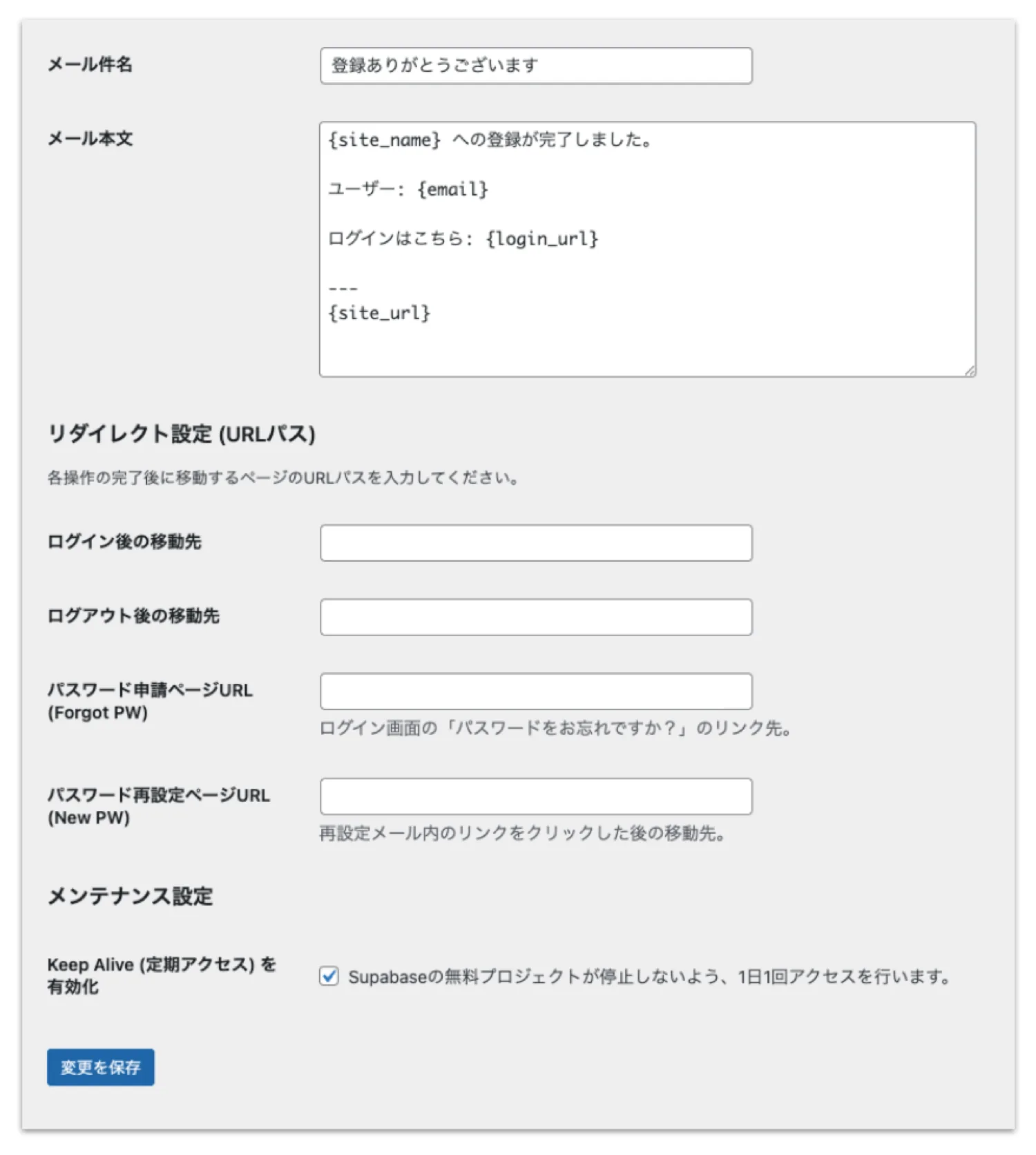
One of my favorite practical features is the Keep Alive function. Supabase’s free plan automatically pauses projects after 7 days of inactivity. This can be frustrating during development or small-scale operations. With Keep Alive enabled, WordPress automatically sends a request to Supabase once per day, preventing the project from being paused. It’s a small feature—but incredibly valuable in real-world usage.Design Principle 5: Shortcodes for Flexible UI Integration
Default WordPress login screens (wp-login.php) often break the design and user experience of a site.
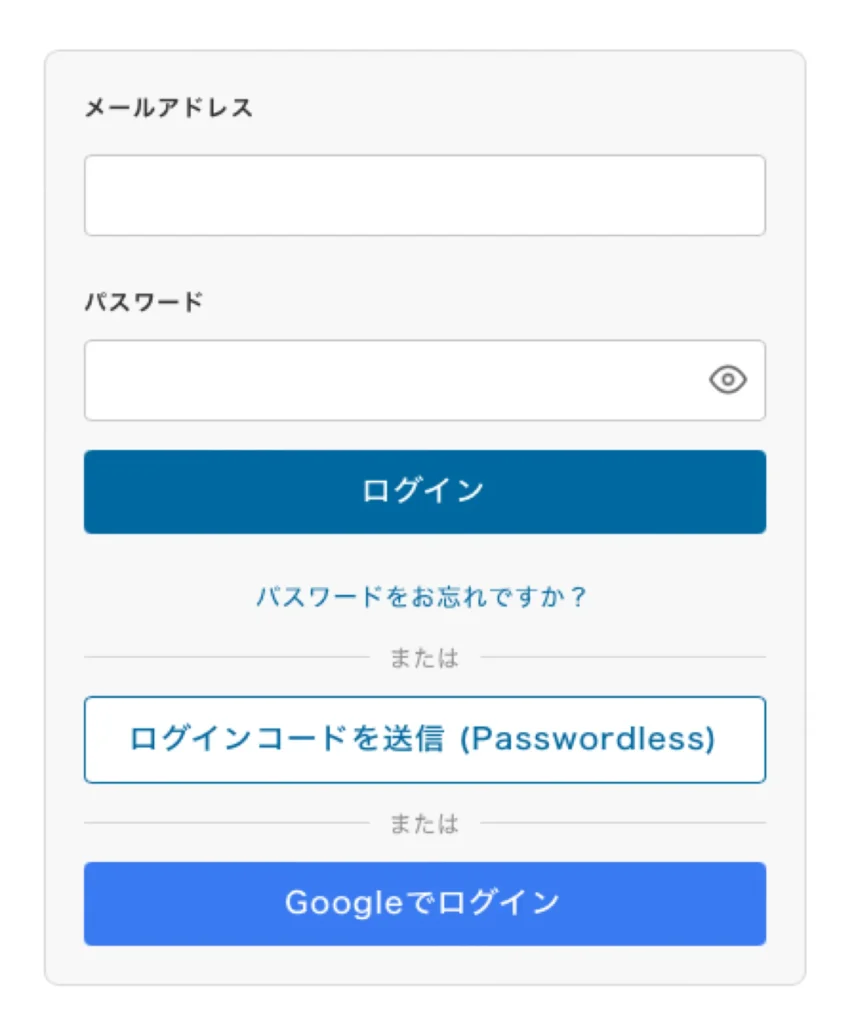
This plugin converts all essential authentication features into shortcodes:
[eafs_login]:Login form[eafs_register]:Registration form[eafs_logout]:Logout button[eafs_forgot_password]:Password reset
Design Principle 6: Developer-Friendly Hooks
I wanted to avoid creating a “black box” plugin. As a developer myself, I intentionally designed extensibility points (hooks) so that other developers can customize behavior. With just a few lines infunctions.php, you can implement advanced logic:
- eafs_user_role filter: Assign roles based on login provider (e.g., Google users as “Contributor,” specific domains as “Administrator”)
- eafs_after_user_sync action: Sync Supabase metadata (e.g., display name, avatar) to WordPress user meta or log last login time