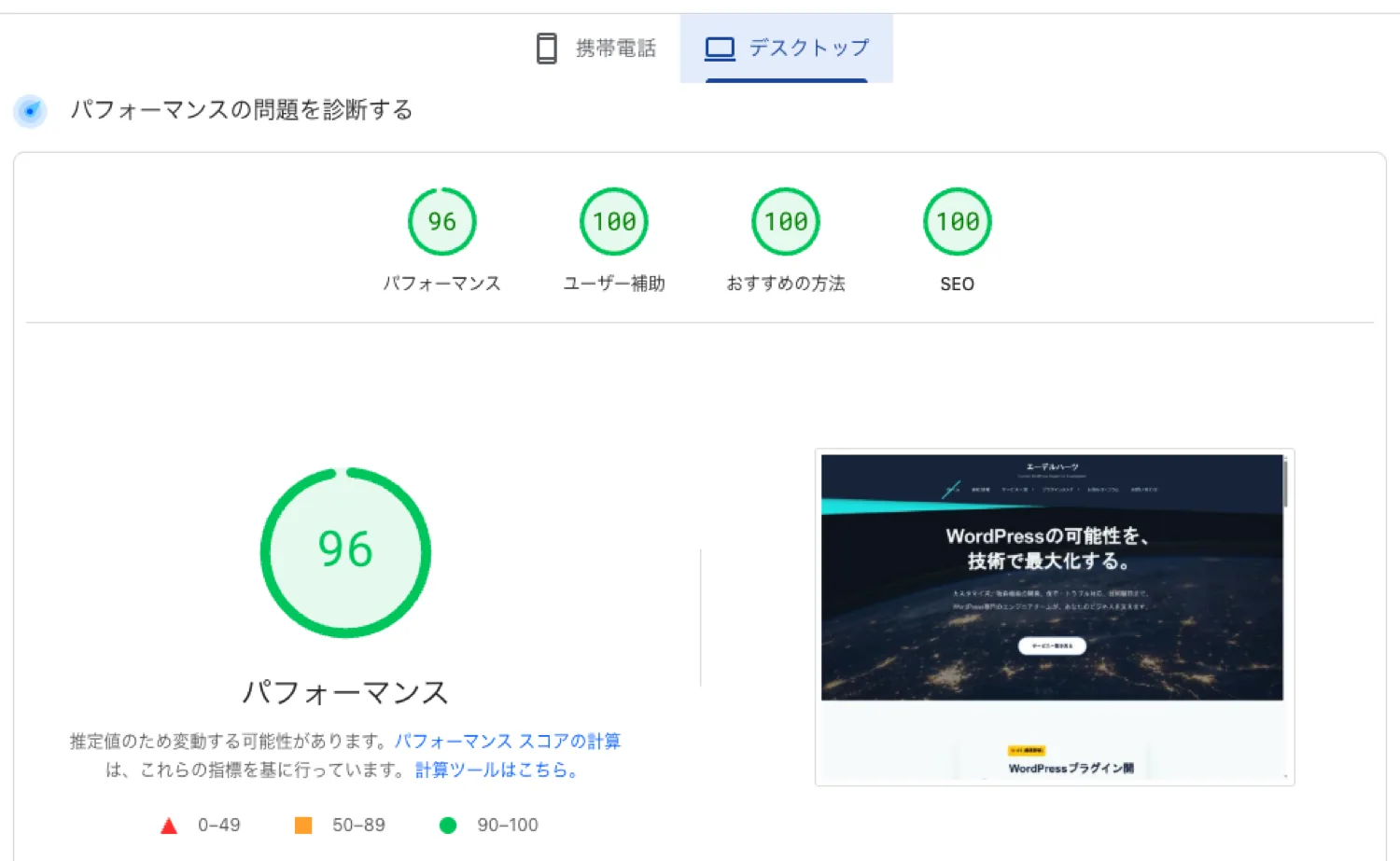
How Much Faster Does a WordPress Site Become When Using AVIF Images?
When improving website performance, image optimization plays a crucial role. In many cases, images account for the majority of page size.
Recently, a next-generation image format called AVIF has been gaining attention. WordPress officially added AVIF support in WordPress 6.5 (March 2024).
AVIF offers significantly better compression efficiency than JPEG or PNG, allowing much smaller file sizes at the same image quality. As a result, it contributes to faster page loading and improved Core Web Vitals scores.
Compared to JPEG, AVIF can reduce file size by approximately 30–50%.
For non-compressed formats like PNG, the improvements can be even more dramatic. In my own tests, a 116KB PNG was reduced to about 20KB in AVIF, which corresponds to over 80% size reduction.
In this article, I’ll explain what AVIF is, how it works in WordPress, how to implement it, and the real-world benefits it provides.
What Is the AVIF Image Format?
AVIF (AV1 Image File Format) is a next-generation image format based on the AV1 video codec. It was developed by the Alliance for Open Media (AOM) and is known for achieving both high compression efficiency and high image quality.
- 30–50% smaller file size compared to JPEG
- Maintains high image quality
- Supports transparency (alpha channel)
- Supports HDR
- Supports animation
It performs particularly well with photographs and images containing gradients.
AVIF vs WebP vs JPEG
| Format | Compression | Transparency | Animation | Browser Support |
|---|---|---|---|---|
| AVIF | Very High | Supported | Supported | Supported by major browsers |
| WebP | High | Supported | Supported | Nearly universal |
| JPEG | Standard | Not supported | Not supported | Fully supported |
| PNG | Low | Supported | Not supported | Fully supported |
Modern browsers such as Chrome, Firefox, Edge, and Safari already support AVIF, making it practical for production websites.
AVIF Support in WordPress (WordPress 6.5)
WordPress 6.5 introduced basic AVIF support.
Main features include:
- Uploading AVIF images
- Generating thumbnails from AVIF
- Basic editing (crop, rotate, etc.)
However, WordPress core does not automatically convert JPEG or PNG images into AVIF. To convert existing images, you’ll need optimization plugins or external tools.
Server Requirements for AVIF
To use AVIF in WordPress, your server must support AVIF in its image processing libraries:
- GD library (with AVIF support)
- ImageMagick (with AVIF support)
Many modern hosting environments already support these.
Why AVIF Improves Site Speed
Reduced Page Size
AVIF can reduce file size by 30–50% compared to JPEG.
This is especially impactful for image-heavy blogs and eCommerce sites, significantly reducing total page weight.
Improved Core Web Vitals
Image optimization directly impacts Core Web Vitals:
- Improved LCP (Largest Contentful Paint)
- Improved INP (Interaction to Next Paint)
- Faster page rendering
Faster image loading leads to better UX and improved SEO.
How to Use AVIF in WordPress
1. Create AVIF Images and Upload
The simplest approach is to convert images to AVIF before uploading.
Tools include:
- Squoosh (Google’s image converter)
- Photoshop (with plugins)
- ImageMagick (used in this article’s tests)
2. Use Image Optimization Plugins
To automate conversion:
- ShortPixel
- Imagify
- EWWW Image Optimizer
- Optimole
These plugins convert images to AVIF/WebP and serve optimal formats based on browser support.
However, in my workflow, I do not use optimization plugins. Instead, I convert images locally before uploading.
This approach allows:
- Pre-verification of quality and size
- Reduced server CPU load
- Simpler CDN and caching behavior
Optimizing images during development also keeps the production environment simpler.
3. Use CDN-Based AVIF Conversion
CDNs can automatically serve AVIF images:
- Cloudflare
- Bunny CDN
- Fastly
This method requires no changes to your site and is the easiest way to adopt AVIF.
Considerations When Using AVIF
Longer Encoding Time
AVIF compression is efficient but takes longer to encode. Be cautious when converting large volumes of images.
Quality Settings
Quality settings greatly affect file size. A range of 50–70 is generally practical.
Summary
AVIF is one of the most efficient image formats available today and can significantly improve WordPress site performance.
- 30–50% reduction vs JPEG
- Significant reduction for PNG images
- Improved Core Web Vitals
- Faster mobile performance
- Positive SEO impact
Since WordPress 6.5 supports AVIF uploads, it has become a practical option for performance optimization. Combining it with plugins or CDNs can further enhance results.
Improving site speed directly impacts user experience and SEO. Consider implementing AVIF in your workflow.
Bonus: Simple Batch Conversion Scripts for Mac / Linux
Currently, we mainly use WebP images, converting them via shell scripts on Mac before uploading to WordPress.
As AVIF support continues to grow, we are also exploring a transition to AVIF.
Below are sample scripts for WebP and AVIF conversion using ImageMagick (magick).
If ImageMagick is not installed:
- macOS:
brew install imagemagick - Ubuntu / Debian:
sudo apt update && sudo apt install -y imagemagick
Use at your own discretion.
Example Execution
yabea@edel image % chmod +x avif.sh
yabea@edel image % ./avif.sh
./image.png -> output_avif/20260305-XXXXX.avif
Measured Comparison: WebP vs AVIF
We compared file sizes using the same workflow.
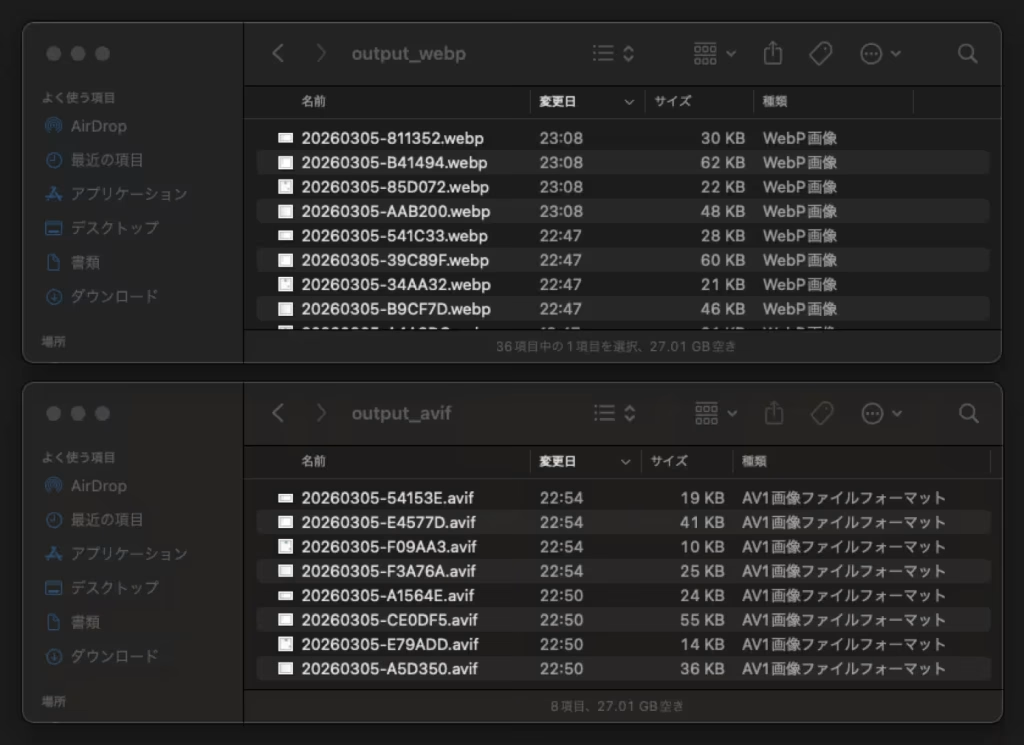
| No. | WebP (KB) | AVIF (KB) | Reduction (KB) | AVIF Smaller (%) |
|---|---|---|---|---|
| 1 | 30 | 19 | -11 | 36.7% |
| 2 | 62 | 41 | -21 | 33.9% |
| 3 | 22 | 10 | -12 | 54.5% |
| 4 | 48 | 25 | -23 | 47.9% |
| Total | 162 | 95 | -67 | 41.4% |
In this test, AVIF was about 41% smaller than WebP overall. While results vary depending on image type and quality settings, AVIF often achieves smaller sizes at comparable quality.
If you want to further optimize WordPress images, check out our guide on enabling SVG uploads.